Contract management for the fitness studio: Organize subscriptions and durations centrally
Contract management links membership with the associated profile and financial processes. My Gym App displays subscriptions and durations in a joint overview and complements them with the personal subscription area in the customer app.
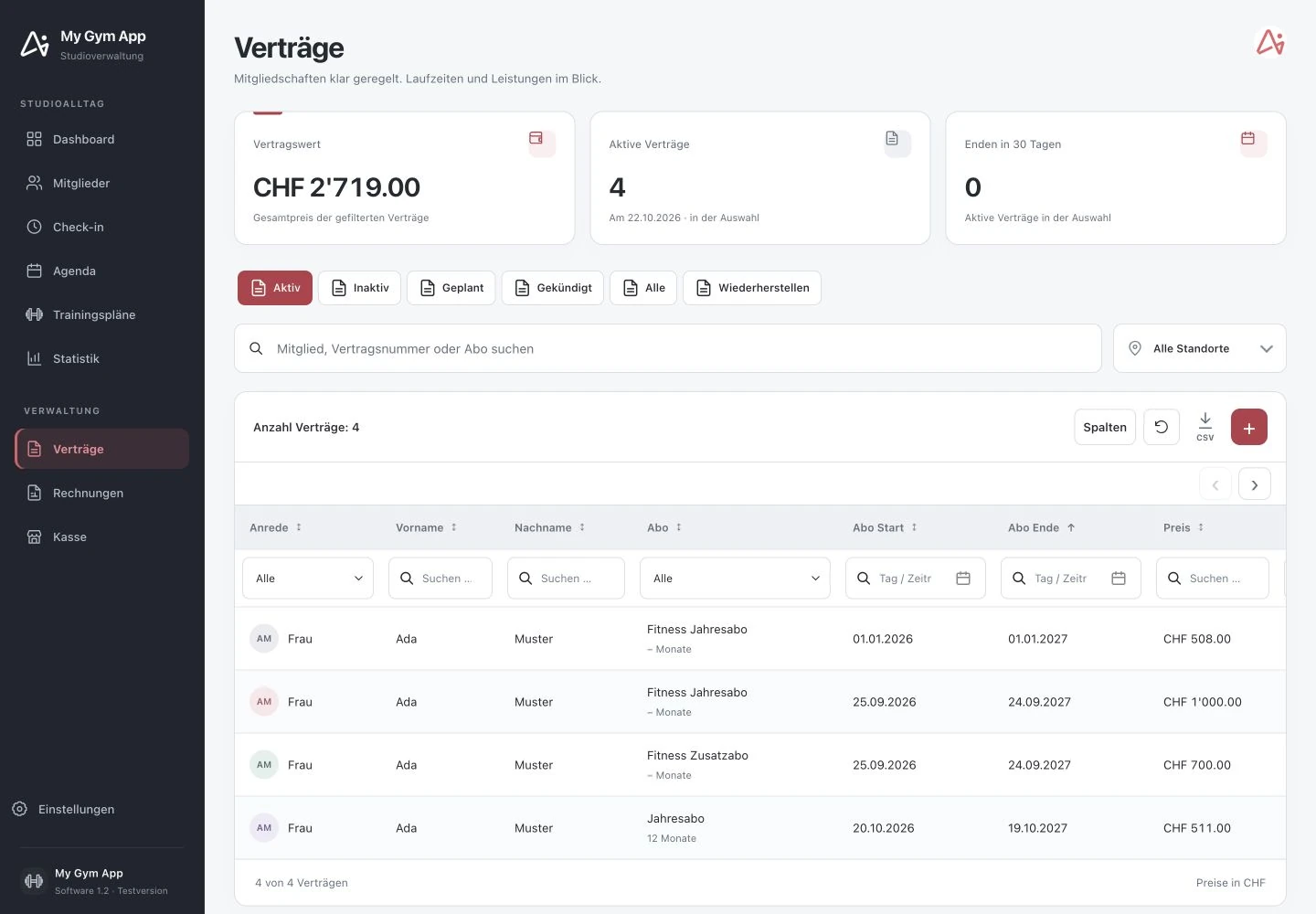
Original recordings of the trial version with fictitious sample data. Interface and functionality may vary depending on version and setup.
Check contract status and durations specifically
The contract list can be filtered by status and location. Visible information includes member, subscription, start and end date, price, and contract number. The overview distinguishes active, inactive, planned, and cancelled contracts, among others. This facilitates verification of which membership is currently valid and which information still needs to be supplemented before an inquiry.
Switch from contract to connected management data
A contract is not isolated from member management. It belongs to a member and can form the basis for invoices and authorizations. The introduction should therefore show not only creating a subscription but also the subsequent display in the profile, on the invoice, and in the customer app.
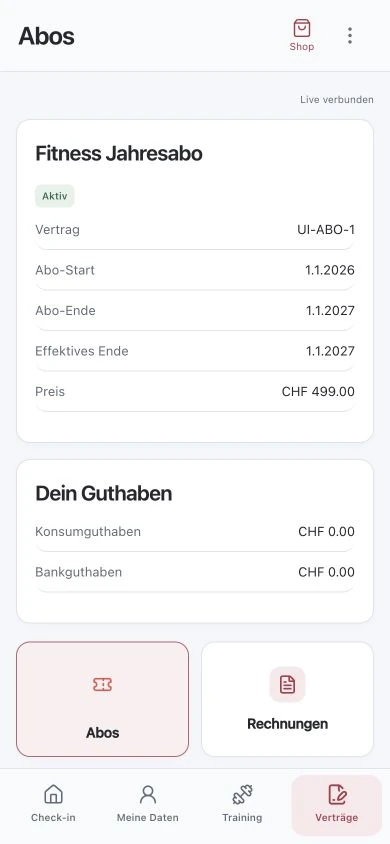
View documents and signature in the process
The customer app features dedicated sections for subscriptions and signatures. Whether a specific document is available or a signature is required depends on the individual contract process. The digital display does not replace reviewing the contractual terms. Statements regarding legal effect, cancellation deadlines, or automatic renewal must be aligned with the actual agreed conditions.
Protect ongoing subscriptions during the switch.
Before a migration, contract numbers, payment intervals, start and end dates, as well as outstanding claims, should be on the checklist. Changes must keep it traceable which contract was valid before. Therefore, test standard and special cases with a small inventory before converting the entire studio management. Missing renewal information should be added rather than silently assumed.
How to check the process in a demo
- Determine the member and appropriate subscription template.
- Check duration, price, and contract details.
- Review documents and associated information from team and member perspectives.
Frequently Asked Questions
Is an automatic contract renewal always active?
This must not be assumed. The desired renewal rule and the contractual terms must be checked for each subscription.
Are contract and invoice the same record?
No. The membership and its billing are related but have different functions and status information.
Working through your studio everyday routine together
Show us your requirements. In a personal demo, we review the suitable processes and necessary setup.
