Check-in system for the fitness studio: document visits reliably
A digital check-in creates clarity about which visits have been recorded. My Gym App links the visit list to the member and supplements it with the personal check-in view in the customer app.
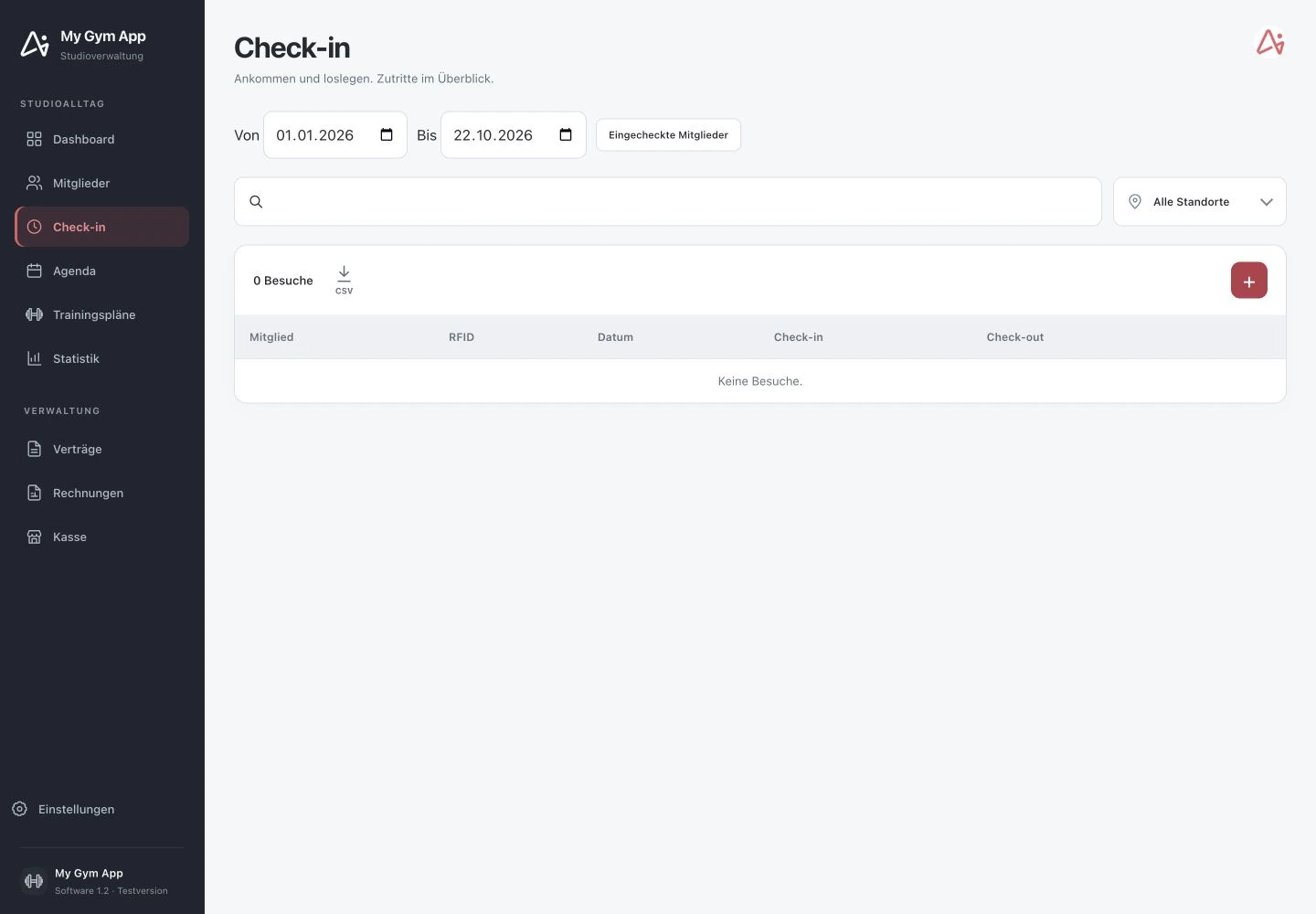
Original recordings of the trial version with fictitious sample data. Interface and functionality may vary depending on version and setup.
Limit visits by date and location
In the studio software, you select a period and, if necessary, a location. The visit list shows the member, RFID assignment, date, as well as check-in and check-out, as far as these details have been recorded. A search function and a filter for checked-in members support the ongoing overview. An empty list initially means only that there are no visits for the current selection.
Switch from member to visit history
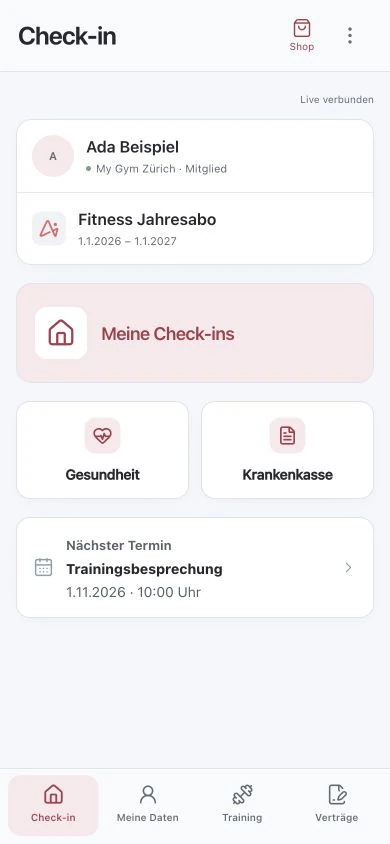
Check-ins belong to a specific member. Besides the shared overview, they can therefore be viewed in the member context. On the smartphone side, there is an entry to the member's own check-ins. This can simplify inquiries at reception, as not only an anonymous counter but an assigned history is examined.
Distinguish between check-in and door opening
The digital recording of a visit and the physical unlocking of a door are different processes. A complete access procedure requires appropriate hardware, a configured interface, and clear authorization rules. The shown software view alone is not proof of the opening of a specific door. This connection must be verified on the actual installed system.
Test special cases before 24/7 operation
Expired subscriptions, blocked members, missing check-outs, and different time authorizations should be simulated before use. Also clarify how the staff checks a missing entry and which data they may export. For operation without staff, access, security, and support must be planned together.
How to check the process in a demo
- Select period and location in the visit overview.
- Check member and associated check-in or check-out.
- For access questions, additionally compare subscription, authorization, and hardware configuration.
Frequently Asked Questions
Does every check-in automatically open a door?
No. Visit recording and door control must be distinguished. Door opening requires appropriate and configured hardware connection.
Are missing check-outs automatically known?
A check-out must be recorded or provided by a designated procedure. Missing data should not be interpreted as an actual exit.
Working through your studio everyday routine together
Show us your requirements. In a personal demo, we review the suitable processes and necessary setup.
