Cloud fitness software for central studio management
Cloud fitness software connects your team's workplace with the information needed in daily studio operations. My Gym App consolidates management in the browser and adds a dedicated member area on smartphones.
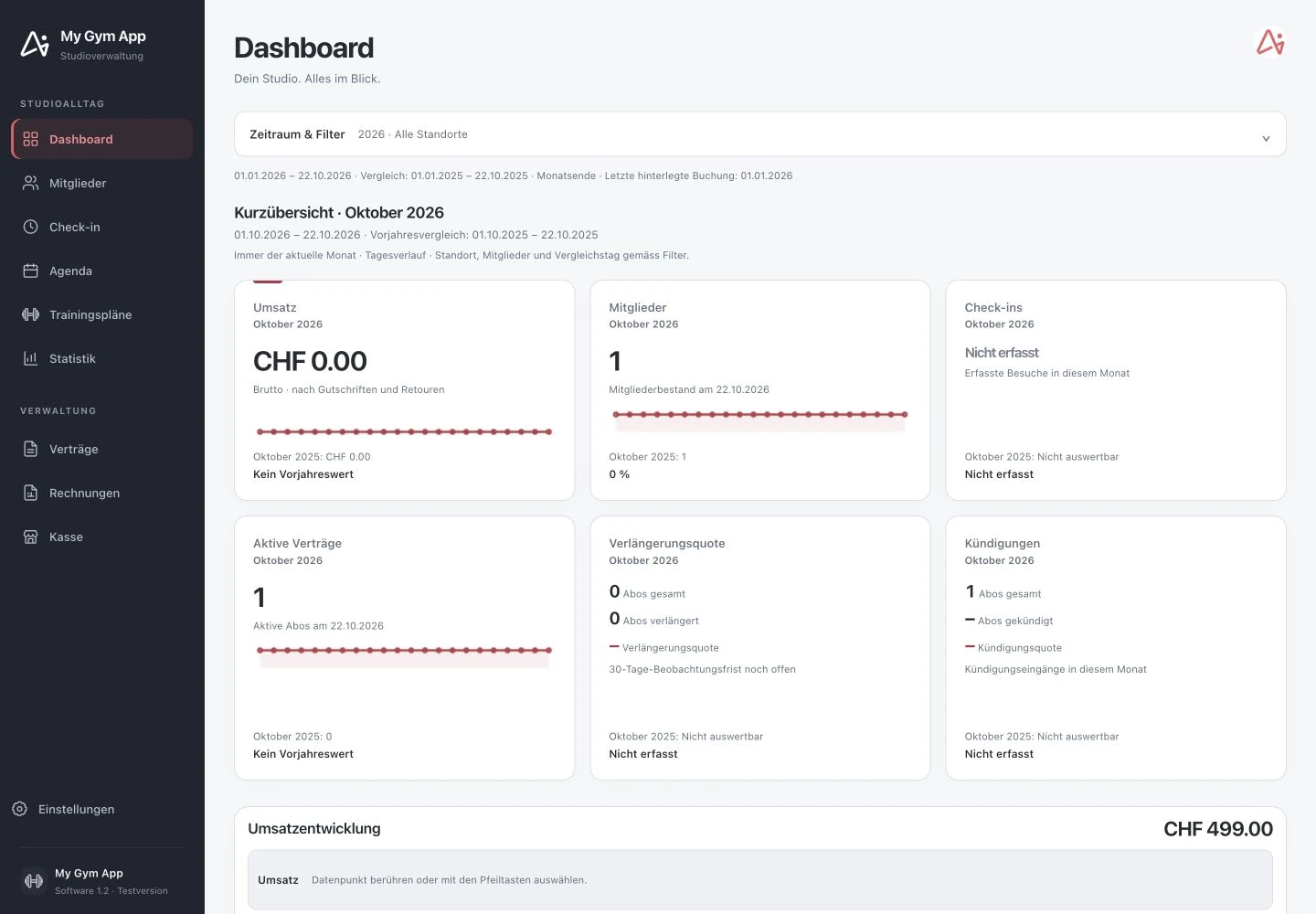
Original recordings of the trial version with fictitious sample data. Interface and functionality may vary depending on version and setup.
A central entry point for your team
After logging in, the studio software leads to the central overview. From there, you switch to members, check-ins, agenda, training plans, contracts, invoices, and cash register. Separate local programs for each administrative area are not required. Visibility for employees depends on assigned permissions.
Studio management and customer app belong together
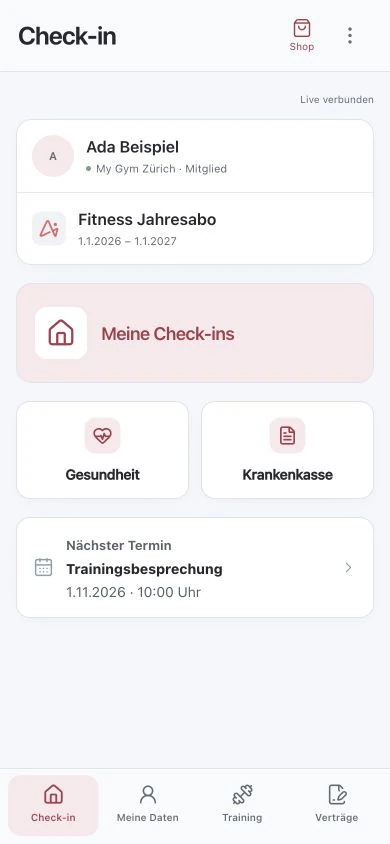
The studio software and the customer app access matching member data. For example, the team organises a contract or appointment; the member sees the information released for their access in their personal area. Not every internal note automatically becomes public: visibility in the customer app is explicitly set for messages.
Desktop and smartphone have different roles
A large screen is suitable for extensive tables, the training plan editor, and daily planning. The customer app focuses on personal information and quick procedures on the go. In a demo, you can review the same task from both perspectives: what your team handles and what the member can subsequently access themselves.
Check connection and responsibilities before use
Access requires an internet connection and a personal login. Test the browsers and devices actually used at reception and training areas. For multiple locations, user rights, location assignments, and joint responsibilities are part of the introduction. Browser access alone does not confirm any offline function or operation of connected door control.
How to check the process in a demo
- Collect workstations, devices and locations.
- Define team accesses and required administrative areas.
- Test a process together from the studio to the customer app.
Frequently Asked Questions
Does every member need an employee access?
No. Employees and members use different accesses with different functions. The member sees their personal area; management remains reserved for the authorised team.
Can I switch software immediately?
The introduction should be prepared. Check data exports, existing contracts, outstanding invoices, user rights, and required integrations before switching.
Working through your studio everyday routine together
Show us your requirements. In a personal demo, we review the suitable processes and necessary setup.
